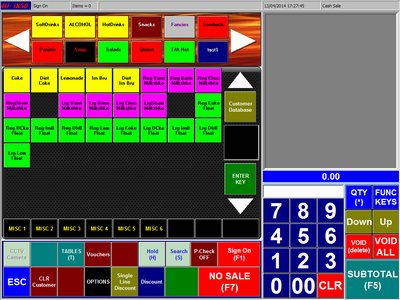
From the Main Screen
Click on Sign On
|
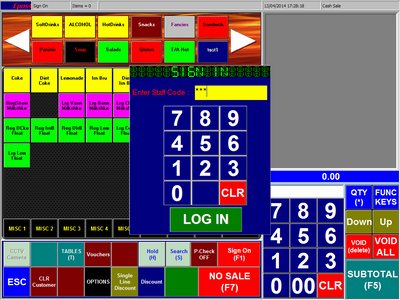
Enter your Pin Number
Click LOG IN
|
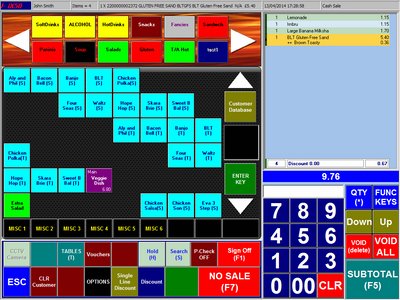
Select menu, click on the items to add
|
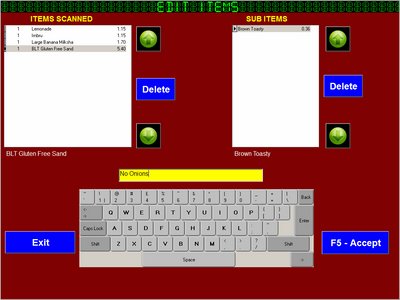
To Void or add extra text
Click on Void(Delete) Button
Enter Text and click Accept Button
|
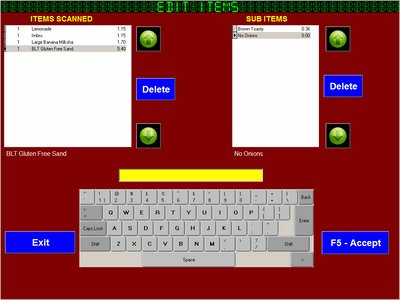
To Void or add extra text
Click on Void(Delete) Button
Enter Text and click Accept Button
|
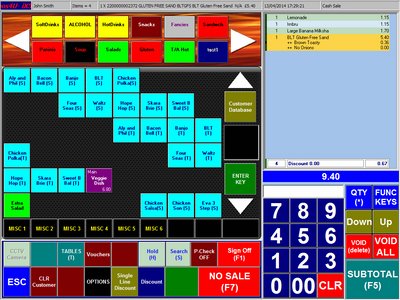
Now we can continue and complete sale
we can also transfer this sale to a table ( see Tables)
To complete the sale click on SUBTOTAL Button
|
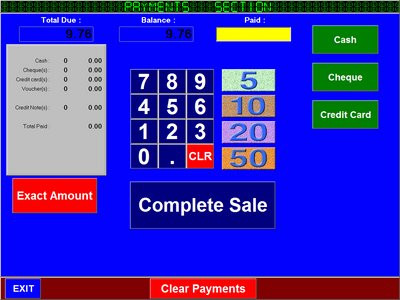
Enter amount to be tendered
Select Payment Type
Click Complete Sale once Payment Balance is paid
Exact Amount will fill the payment due
Clear Payments will start payments from start
|