|
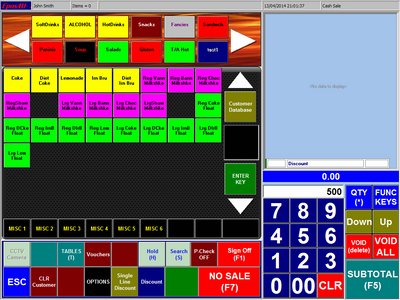
Scan or enter Barcode
we are using 500 and click Enter Key Button
|
|
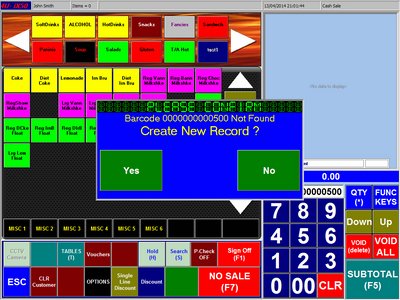
Confirm Create New Record
|
|
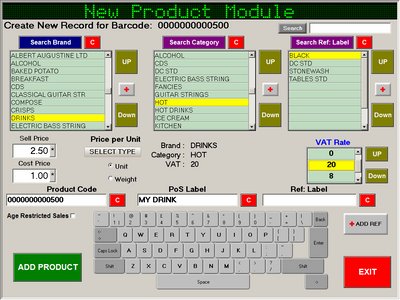
Fill the Fields
Select Brand, Category
Enter PoS Label
Select VAT Rate
Enter Cost Price
Enter Selling Price
Click ADD PRODUCT Button
|
|
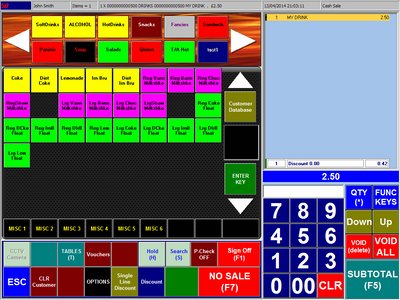
Scan or Enter Barcode
Our Record 500 is now in the system
|
|
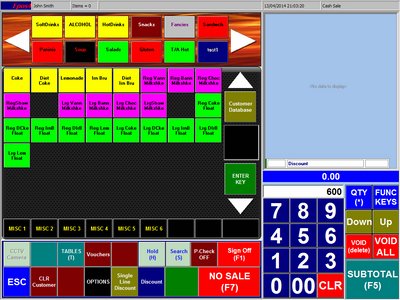
New Record 600, this time we will sell it by Weight
Scan or enter Barcode
we are using 600 and click Enter Key Button
|
|
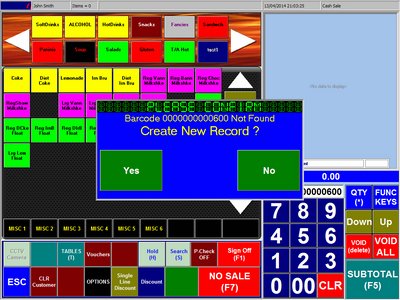
Confirm Create New Record
|
|
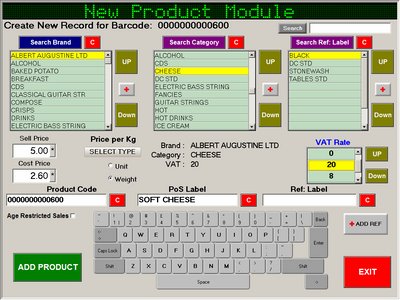
Select Type by Weight
Select Brand, Category
Enter PoS Label
Select VAT Rate
Enter Cost Price
Enter Selling Price
Click ADD PRODUCT Button
|
|
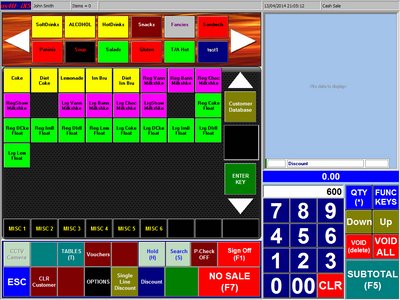
Scan or Enter Barcode
Our Record 600
Click ENTER KEY Button
|
|
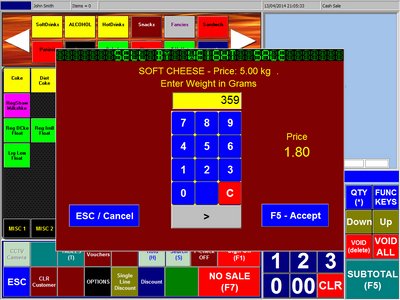
Enter Weight in Grams as Price is per KG
The system will calculate the Selling Price
Click Accept
|